
Connectors
Calendar
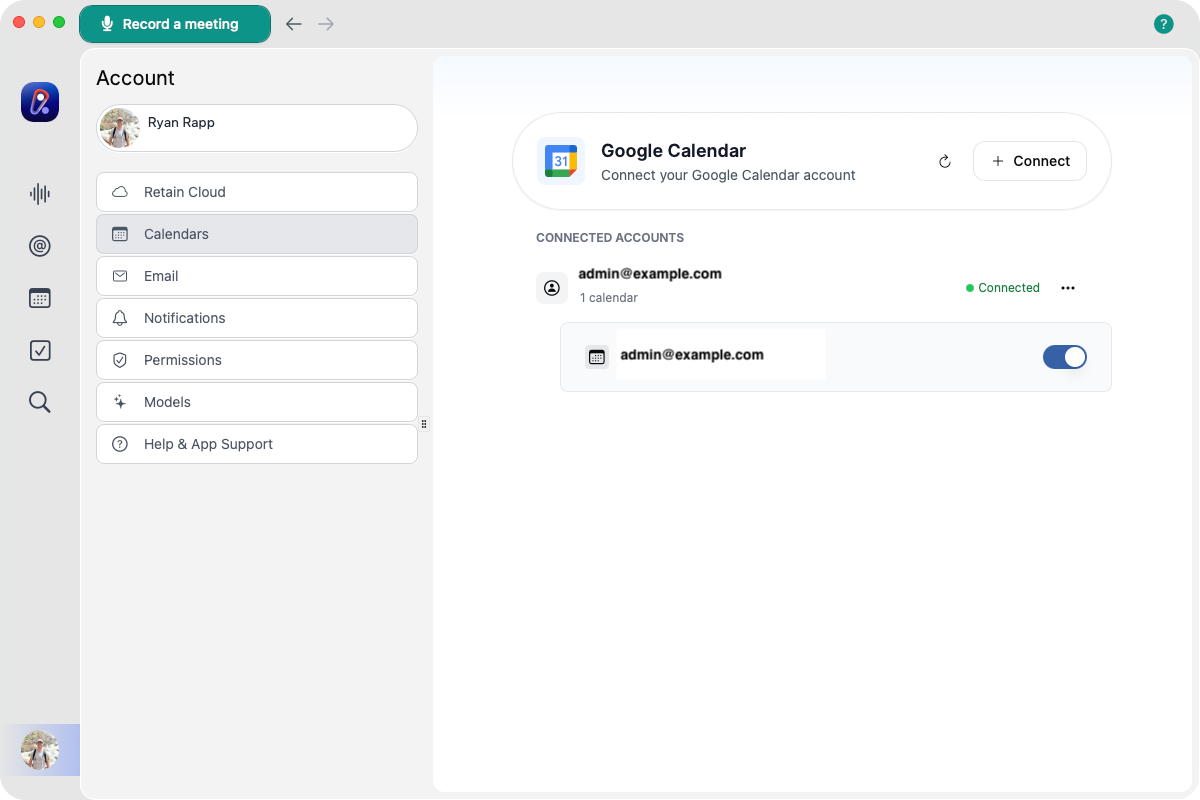
Retain reads your Google calendars to know which meeting a recording belongs to. That gives the notes their real time and invitees, and gives your Threads a date and a next meeting. It never writes to your calendar.
Connect calendars
Open Settings and choose Calendars, on the Mac or on iPhone. Select Connect next to Google Calendar and finish in your browser. The account appears with its calendars, and new ones show up on their own.
- Choose calendars. Each calendar has a switch. Retain reads only the ones you include. Primary and Subscribed calendars are labelled.
- Disconnect. Open the menu beside an account and choose Disconnect. If that account also connects Gmail, email for it stops too.
Mail and calendars can be on different accounts. Only Google calendars are supported. See Email.
What Retain uses them for
- Linking a recording to its event. After a recording is transcribed, Retain looks for an event on your included calendars around when you recorded and links the one that fits. If it cannot decide, it links nothing and offers the candidates as suggestions. The memory shows the linked event with an auto mark. Its menu has Open in Google Calendar, Change event and Unlink, and an unlink stays unlinked. Text notes are not matched.
- Link past recordings. In Settings, Link matches your recordings from the last 30 days that have no event.
- Choosing the meeting type. When you start a recording with a calendar event about to begin, Retain suggests a type from it. See Meeting types.
- Better notes. The linked event's title and invitees go to the summary, marked as invited and not necessarily present.
- Dating Threads. A recorded meeting sits on a Thread's timeline at its event's time. When a Thread has a recurring series, its header shows the next meeting, such as Next: bring the revised numbers · Tue 2:00 PM, and the status can use it.
- Day and Week on Mac. Home can show your Threads, tasks and memories in Day and Week, with other events dimmed if you leave Show other events in Day and Week on.
The Link recordings to calendar events switch turns automatic linking off. You can then link from a memory yourself.
What it does not do
- It does not write notes, summaries or events to your calendar. Creating or editing an event opens Google Calendar.
- It does not read calendars you leave off.
- It does not bring events you did not record into a Thread's history. Only a meeting you recorded, or one linked to a Thread, task or memory, appears.
- It does not treat a recurring series as proof that meetings belong together. A series only supports a link, and a Thread decides which meetings are part of it.
Need help?
Can't find what you're looking for? Contact our support team for a quick reply.